

Ingredients You'll Need

Mixpanel

For tracking user behavior and getting insights

Hubspot
For customer relationship management (CRM)

Userflow
For dynamic in-app onboarding and upgrade nudges
Recipe Directions
01
Track high-intent user behavior in Mixpanel
Start by deciding what in-product behaviors signal real buying intent.
For example:
- Did the user create a dashboard?
- Did they invite teammates?
- Did they upload key data?
Set up Mixpanel events to track these actions so you have a clear picture of who’s engaging meaningfully.

02
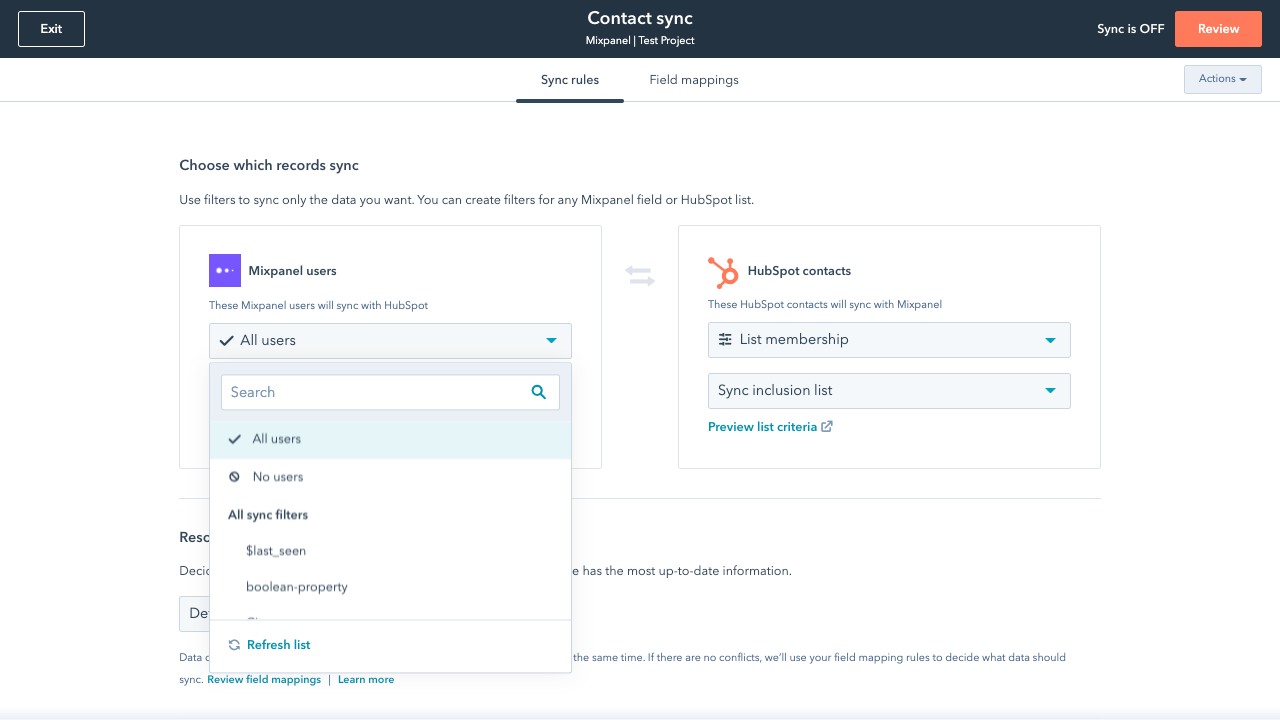
Sync usage data from Mixpanel into HubSpot
Next, connect Mixpanel to HubSpot using a sync tool like HubSpot Data Sync or Hightouch.
Then, designate those key user behaviors you’ve identified in Step 1 as a contact property in Hubspot.
Now your CRM knows not just who signed up, but how they’re using your product.
03
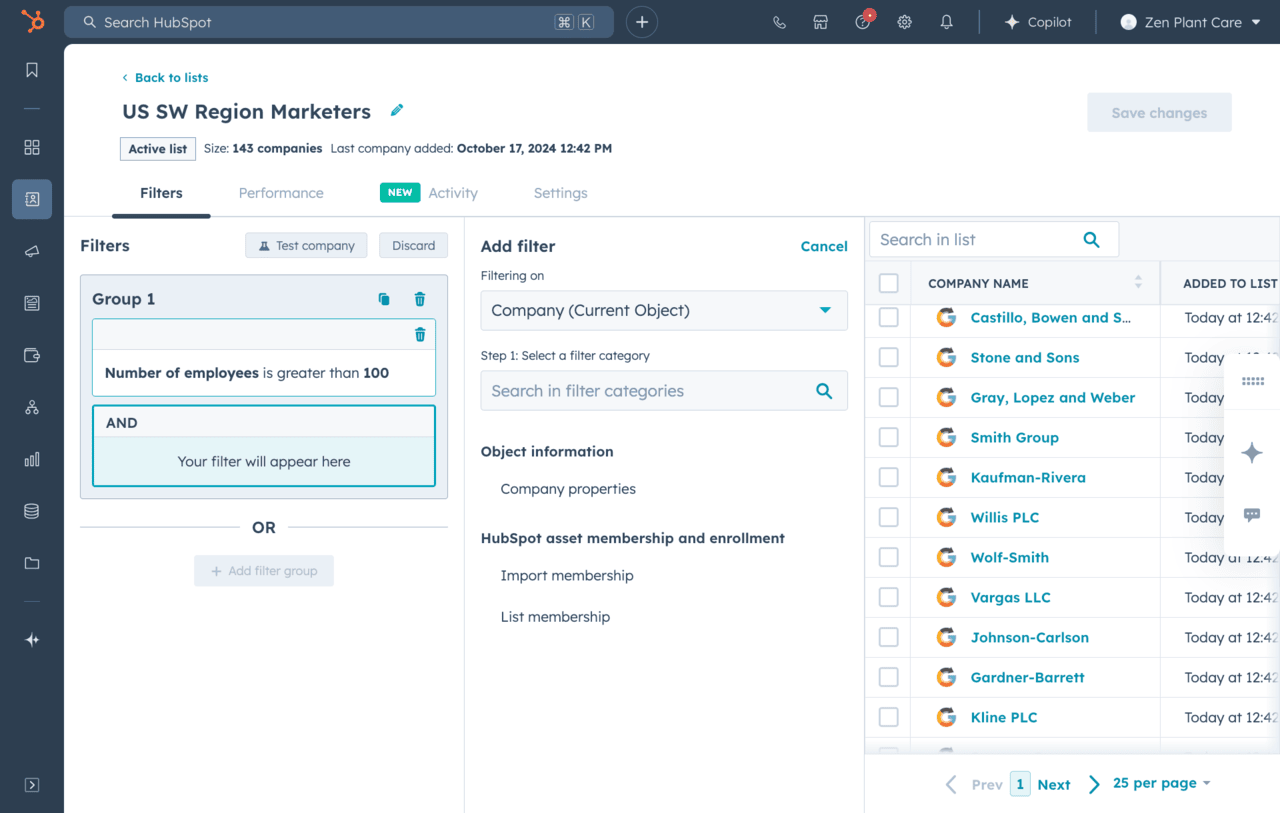
Define PQL criteria in HubSpot
In HubSpot, set up an automated list or segment for PQLs based on those synced usage properties.
You can also adjust lead scoring rules so that these behaviors boost their score and move them into a "ready for sales" state automatically.
04
Personalize onboarding in Userflow based on PQL status
Now connect HubSpot to Userflow so that when a contact meets your PQL definition, HubSpot automatically updates their user attributes in Userflow.
In Userflow, create a flow that checks for this property and targets these users:
- Show an in-app modal encouraging them to upgrade.
- Add a checklist that guides them to explore premium features.
- Offer an embedded calendar link to book a demo.

05
Track what happens next in Mixpanel
Finally, sync key Userflow events like “Upgrade Prompt Viewed” or “Plan Selected” back into Mixpanel.
This lets you measure conversion rates from “PQL identified” → “customer,” and optimize the flow over time.
.png)
Serving suggestions (Pro tips)
- Experiment with your PQL criteria. The behaviors that predict conversion best may not be obvious at first. Continue to experiment and find that user action that meaningfully turns into buying intent.
- Personalize onboarding messaging even further based on lead source or persona (e.g., different flows for SMB vs enterprise prospects).
Ready to Cook Up This Use Case?
Get started now for free with Userflow and capture more PQLs.


Try it today and see why top SaaS teams have already made the switch.

50%
less onboarding time and 23% increased app usage

250%
higher conversion rates for users who completed the guided flows

20 hours
saved per week and achieved churn reduction from 30-50% to nearly zero

Joe Stanton,
COO at

"Userflow was incredibly easy to set up and integrate into our app. It’s been a game-changer for improving customer onboarding, helping us turn more free trials into happy customers."

Rocio Lopez Daglio,
Senior PMM at

“Since we started using Userflow, we’ve established a stronger, more direct line of communication with our customers.”

Danish Refai,
Product Manager at

“...a game-changer in empowering our users and reducing friction in their journey.”

